Get started with River.
Set up in three steps.
Get River.
Download the app for your Mac or PC, or use River on the web.
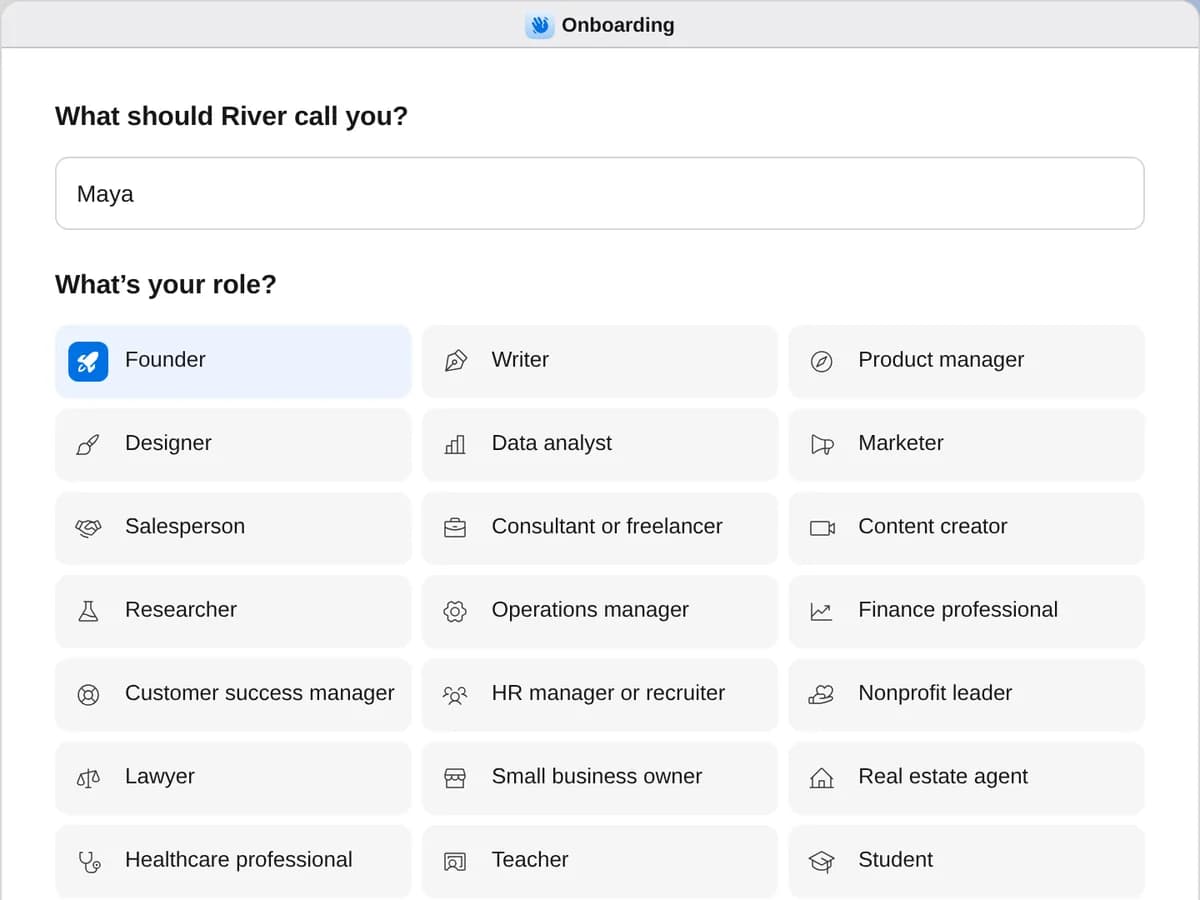
Choose your role.
When you sign up, tell River what you do. It sets up your Dock with the apps for your work.
- New chat
Hi Maya, I’m River 👋 Pick an option below or send me a message to get started.
See an exampleWhat River doesConnect your toolsHelp me plan our launch
Model:EverydaySay hello.
River welcomes you in the chat. See an example, or ask for what you need.
Work with River. Side by side, in the same files.



Good afternoon, I’m River 👋 Want to keep going on the seed deck?
Add a traction slide from our metrics.
I’ll build it from your Metrics sheet.
Building the traction slide…3s
Ask anything, or describe what you want done
Ask River, or tell it what to do
Go further.
Connect your apps.
Bring in Gmail, Slack, Notion, and more, so River can use what you already have.
Explore connectionsBring your team.
Invite teammates from Settings, and share any file with a right-click.
Run a playbook.
Ready-made playbooks for founders. Start one, and River runs it in a new chat.
Choose a plan.
River is free to start. Add more AI when you need it.
View pricing